
Retyping certificate of analysis data into an electronic lab notebook by hand wastes analyst time and invites transcription error on every lot. Instead of copying identity, purity, and method fields line by line from each CoA, build a defined field map once and reuse it, so every lot record follows the same structure with the certificate itself attached as provenance.
- Certificate of analysis ELN integration works best as a fixed field map applied lot by lot, not manual transcription.
- Map CoA sections — identity, purity, mass confirmation, disposition — to matching ELN fields once, then reuse the template.
- Attach the original CoA PDF to the ELN entry; the certificate stays source-of-truth, the record stays a structured copy.
- A revised CoA gets a new ELN entry, never an edit to the filed record, to preserve lot documentation history.
Why this matters
Every peptide lot ships with a certificate of analysis carrying defined specifications, method references, and results tied to a batch or lot number. A lab that stores those results only as an attached PDF loses searchability the moment someone needs to find purity data across twenty lots instead of one.
Structuring CoA data into fixed ELN fields turns certificate review into a documentation control step rather than a data-entry task. Teams running formal analytical review under a QC program already treat the CoA as a controlled document — this workflow just gives that document a structured home inside the notebook instead of a loose attachment.
The payoff shows up at audit time in 2026, not at intake: a reviewer who can trace a result from ELN entry back to certificate in one lookup moves faster than one paging through a shared drive.
Before you start
- An ELN template with a fixed field set already built for lot-level records — Lot Number, Test Method, Result, Acceptance Criteria, Analyst or Reviewer, Date Issued, Disposition, Attachment.
- The current CoA for the lot in hand, plus the purchase order or requisition reference that ties the lot number to your internal record.
- The gotcha: CoA analyte order, units, and method naming vary by supplier and even lot to lot from the same supplier. Normalize units — area percent versus mass percent purity, for example — before mapping, or a field will look populated while comparing the wrong basis entirely.
Define your ELN field set
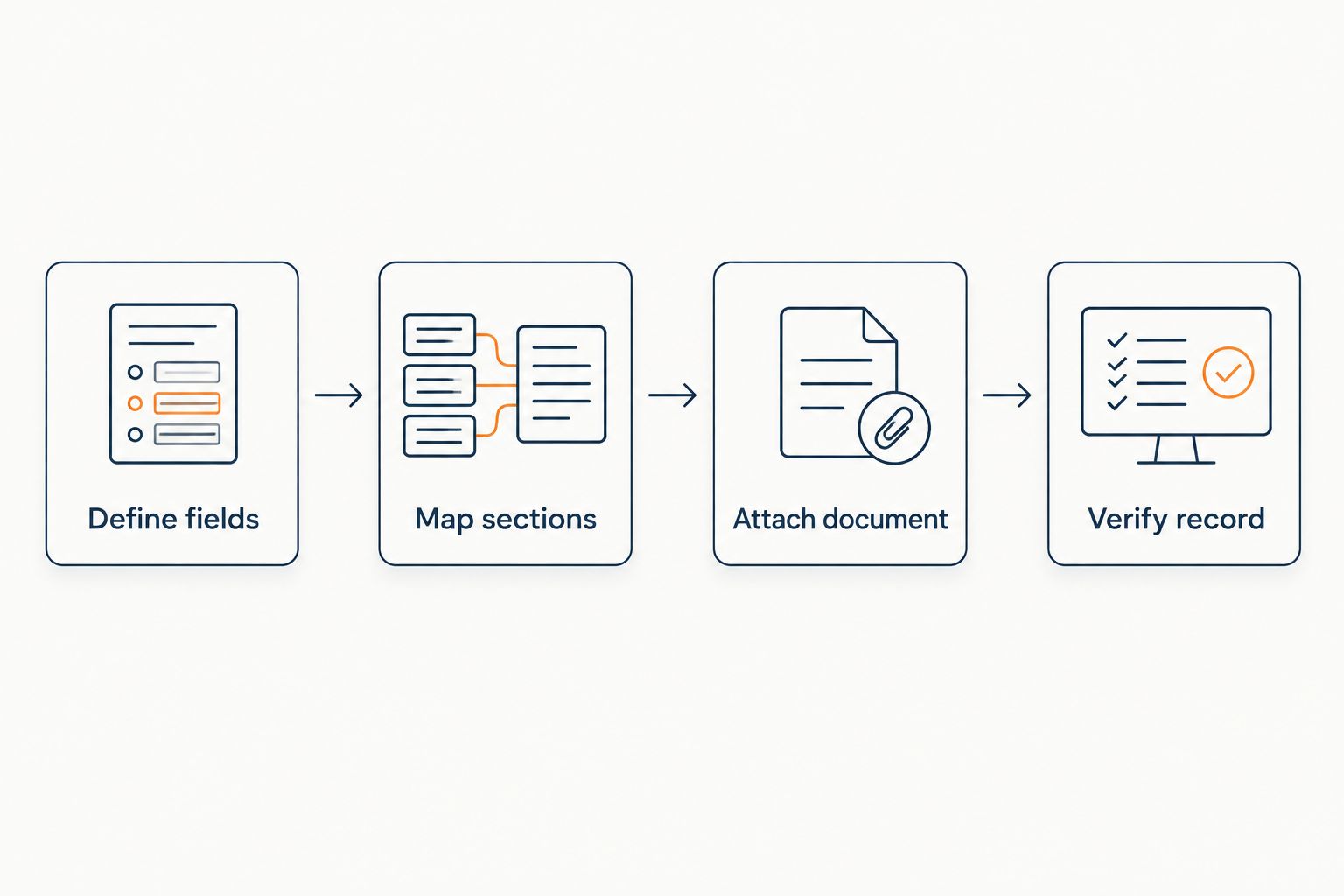
- Open your ELN's lot-record template and confirm the fixed field set: Lot Number, Item Reference, Test Method, Result, Acceptance Criteria, Analyst/Reviewer, Date Issued, Disposition, Attachment.
- Add a Provenance or Source Document field if one does not already exist. This field holds the certificate file itself, not a summary written in prose.
- Lock the field order so every lot record reads in the same sequence, regardless of which analyst enters it.
Expected result: a blank lot-record template any analyst can fill from a CoA in 2026 without deciding field order case by case.
Map CoA sections to ELN fields
- Identify the standard CoA sections: Identity (mass or sequence confirmation), Purity (typically HPLC, often reported as area percent), Appearance, Counterion or Moisture Content where applicable, Batch/Lot Number, Method Reference, Release Date.
- Match each section to its ELN field one to one. The purity result goes into Result; the assay column ("RP-HPLC," "LC-MS") goes into Test Method; the pass/fail line goes into Disposition.
- For lots carrying a confirming assay from an outside lab, record which lab performed it in the Method Reference field rather than leaving it blank — this matters most when comparing lots across suppliers offering third-party purity testing.
- Convert units before entry if the CoA reports area percent and your ELN standard is mass percent, or the reverse. Enter the converted value with a note on the conversion — never the raw number under a mismatched label.
Expected result: every ELN lot record carries the same field order with values drawn directly from the certificate, not paraphrased from it.
Attach and cross-reference the source document
- Attach the CoA PDF itself in the Attachment or Provenance field. The ELN entry is a structured copy of the certificate, not a replacement for it.
- Cross-reference the lot number exactly as written on the CoA, the purchase order, and the ELN entry. A formatting mismatch — "SLS-0426-07" against "0426-07" — breaks searchability months later.
- Note the release date, and the retest date where one applies, directly on the ELN entry so a reviewer can find the current record without reopening the PDF.
Expected result: a lot record traceable to its certificate in a single lookup, without asking the analyst who filed it to relocate the file.
“A certificate of analysis is the source-of-truth; the ELN entry is a structured copy of it, never a replacement.”
Update the record when a lot is retested
Some lots ship with an interim CoA followed by a revised certificate once additional testing closes out, and some labs run a retest at a defined interval regardless of the original result. That variant workflow differs from a first-time filing in three ways.
- File the revised CoA as a new ELN entry linked to the same Lot Number — never as an edit to the original record.
- Set the original entry's Disposition field to "superseded" and reference the new entry's ID.
- Carry the Item Reference and Lot Number forward unchanged. Only Result, Method, Date Issued, and Attachment change on the new entry.
This keeps a lot's documentation history intact instead of overwriting it, so a reviewer in 2026 can see exactly what changed and when. The same lot-numbering discipline has to start earlier than the CoA — see the peptide orders to LIMS-ready lot records workflow for how lot numbers get assigned at the order stage, before a certificate ever arrives.
Review the QC documentation process
See how lot-level analytical review is structured before a CoA is issued.
Troubleshooting
- Units don't match between the CoA and the ELN field. Normalize to one basis — area percent or mass percent — at the point of entry, and note the conversion in the record. Don't silently overwrite the certificate's reported number to make it fit.
- Lot number format differs across the PO, CoA, and ELN. Standardize on one format at intake, usually the supplier's as-printed lot number, and store any internal alias in a separate field rather than substituting it in.
- One CoA covers a split lot shipped as several sub-lots. Create one ELN entry per sub-lot, each referencing the same parent CoA attachment, so the record structure still maps one entry to one physical container.
- The CoA references a method not on your ELN's controlled method list. Add the method to the list before filing the record instead of mapping it to the closest existing name — a near-match method name defeats searchability later.
- A supplier's documentation practice varies from lot to lot, breaking the field map's consistency. Review the supplier's documentation history before onboarding a new lot type; the bulk peptide manufacturers ranked by purity documentation comparison is a starting point for that review.
Expand the workflow
Once CoA-to-ELN mapping is standardized for one lot type, extend the same field discipline to bulk API batch records and to purchase requisitions that predate the certificate. Connecting a requisition's expected specification to the CoA's actual result, before the lot even arrives, closes the loop between procurement and the notebook rather than leaving it as two separate systems in 2026.
FAQ
What is a certificate of analysis in peptide research procurement?
A certificate of analysis (CoA) is the document a supplier issues per lot showing identity confirmation, purity result, method used, and disposition against a defined specification. It is the source-of-truth record for that lot, not a marketing document.
How do you convert a CoA into an ELN-ready record?
Map each CoA section — identity, purity, method, disposition — to a fixed ELN field one time, then reuse that field map for every lot. Attach the original CoA file to the ELN entry rather than only summarizing it in text.
What fields belong in an ELN entry for a peptide lot?
A minimum field set covers Lot Number, Item Reference, Test Method, Result, Acceptance Criteria, Analyst or Reviewer, Date Issued, Disposition, and an Attachment field for the source CoA.
Is a certificate of analysis the same as a specification sheet?
No. A specification defines the acceptance criteria a lot must meet; the certificate of analysis reports the actual result for that specific lot against those criteria. The two documents work together but serve different purposes.
Can one lot have more than one certificate of analysis?
Yes, when a lot is split into sub-lots shipped separately, or when an interim certificate is followed by a revised one after additional testing. Each version needs its own ELN entry rather than overwriting an earlier one.
What happens when a CoA is revised after the ELN record is already filed?
File the revised CoA as a new ELN entry linked to the same lot number and mark the original entry’s disposition as superseded. Editing the original record directly erases the documentation history a reviewer needs.
Do university labs and CROs need a different ELN mapping than an industrial lab?
The core field set — lot number, method, result, disposition, attachment — stays the same across lab types. Volume and retest frequency differ, but the mapping logic for certificate of analysis ELN integration does not change by institution type.
Why does the lot number format matter so much in this workflow?
A lot number that is formatted differently on the purchase order, the CoA, and the ELN entry breaks searchability even when all three documents describe the same physical lot. Standardizing the format at intake prevents that mismatch before it happens.
One last thing
Most documentation gaps found during a lot-record review trace back to a mismatched lot number format across the PO, CoA, and ELN entry, not to a missing field. Standardize that one format at intake before building out the rest of the field map, and most of the downstream searchability problems in this workflow never happen.
Related guides