
Manually copying freezer temperature readings into a spreadsheet after the fact leaves gaps, and an auditor treats a gap the same way it treats an undocumented excursion. Set up a peptide storage cold chain compliance log that captures logger data at the storage case and carries it through to a signed, lot-level record without a manual transcription step in the middle.
- A peptide storage cold chain compliance log needs a dedicated logger, a fixed record template, and a signed verification step — not a spreadsheet filled in from memory.
- Lyophilized peptide stock typically holds at -20°C; reconstituted material moves to a 2°C-8°C refrigerated range with a shorter monitoring window.
- Continuous logging beats spot checks in 2026 audit review: a gap in the record reads as an undocumented excursion, not as a stable period.
- Simple Life Science ships peptides and bulk API against defined storage specifications that this workflow is built to document.
Why this matters
A compliance log exists to answer one question during review: was the material inside its validated range for the entire period it was stored. A log built from memory, or from a logger that was checked once a week, cannot answer that question — it can only answer for the moments someone looked.
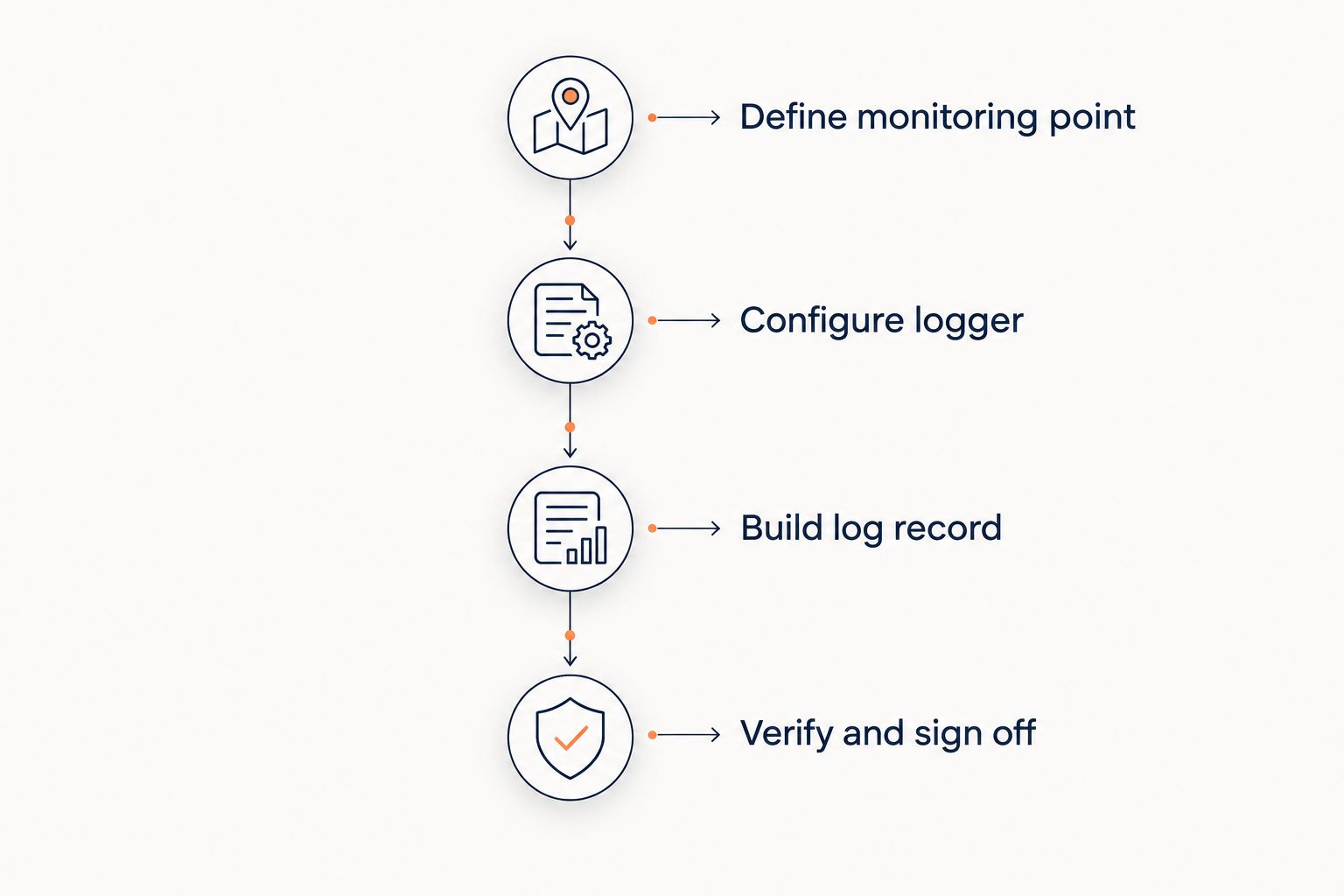
By 2026, most institutional buyers and CRO partners expect a freezer-ready lot traceability workflow that ties storage conditions to the lot record automatically, not a folder of printed logger screenshots assembled before an audit. The workflow below builds that log in four stages: define the monitoring point, configure the logger, build the record, verify and sign off.
Before you start
- Confirm each storage case or freezer compartment has its own continuous digital temperature logger — a single logger moved between units leaves gaps for every unit it isn't currently in.
- Write the acceptance criteria and excursion threshold before the first reading is logged. A threshold set after an incident is not a control, it's a rationalization.
- The non-obvious gotcha: export formats vary by logger model. Confirm the export produces a timestamped CSV before you build the record template around it, or every cycle inherits the logger's native date format and someone has to reformat it by hand before filing.
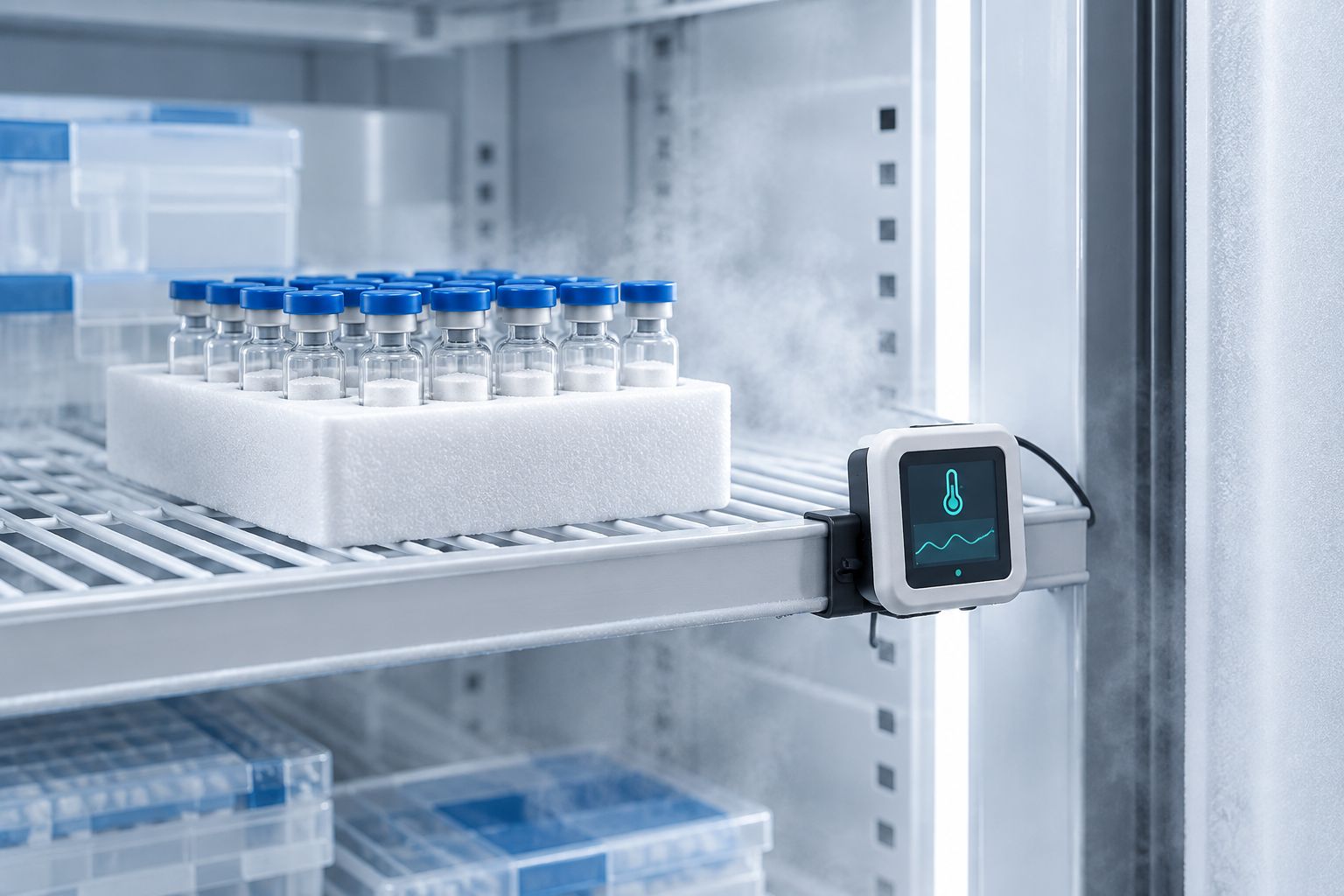
Review the current inventory against a defined storage case standard before assigning loggers — see peptide storage cases for laboratory use for what qualifies as a monitored unit versus a general-purpose freezer.
Define the storage case monitoring point
- Assign one logger per storage case or freezer compartment and label the physical unit with a Unit ID.
- Record baseline readings for 24 hours before storing peptide inventory, to confirm the case holds its intended range (-20°C for lyophilized stock).
- Enter the Unit ID, location, and validated range into the header fields of the compliance log template.
Expected result: every storage case has an identified monitoring point with a validated range on file before any lot is stored in it.
Configure the temperature logger
- Set the logging interval to continuous, or to the shortest interval the device supports.
- Set the high and low alarm thresholds to match the written acceptance criteria for the material stored in that case.
- Sync the device clock to the same time reference used elsewhere in the lab's record system.
Expected result: the logger records without gaps and flags a reading outside the defined range at the moment it occurs, not at the next manual check.
Build the compliance log record
- Create one record line per export cycle with these fields: Lot ID, Unit ID, Date Range, Min Temp, Max Temp, Excursion Flag, Reviewer.
- Export the logger data as a CSV and attach it, or transcribe the min/max readings into the matching record line.
- Mark the Excursion Flag field Yes or No based on whether any reading in that cycle fell outside the validated range.
Expected result: a record line exists for every export cycle, with no missing Lot ID and no missing date range. See the audit-ready QC records workflow for how this line feeds into the broader lot documentation set.
Verify and sign off
- Compare each exported dataset against the written acceptance criteria before filing it.
- Initial and date the Reviewer field only after confirming the data covers the full period with no gap.
- Route any line with Excursion Flag = Yes to a documented deviation review before the affected lot ships or is used in a study.
Expected result: no compliance log entry carries a blank Reviewer field, and every excursion has a linked deviation note, not a silent Yes.
Monitoring reconstituted peptide storage separately
Reconstituted material does not belong in the same log line as lyophilized stock — the storage range and the monitoring window are different. Once a peptide is reconstituted, it typically moves to a 2°C-8°C refrigerated range, and the relevant window is measured from the reconstitution date, not from receipt. Read how long reconstituted peptides stay refrigerated before setting the window on the log.
Reuse the same logger and record structure for this variant, with two changes:
- Add a Lot Type field and set it to Reconstituted.
- Set Date Range to start from the reconstitution date recorded at the time of mixing, not from the original receiving date.
Expected result: reconstituted and lyophilized inventory for the same Lot ID appear as two linked log lines instead of one line that mixes two storage ranges.
Troubleshooting
- Logger stops recording mid-cycle. Battery or memory limit reached before the scheduled export — check remaining capacity before starting a new cycle, don't wait for the low-battery flag.
- Exported CSV date format doesn't match the template. Standardize the export setting once at configuration; reformatting by hand every cycle is where transcription errors enter the record.
- Excursion Flag is Yes but no deviation note exists. The flag was set during export but the review step was skipped — route it back before the lot record closes, not after.
- Two loggers on the same case show different readings. This is sensor drift, not measurement noise — recalibrate or replace the logger; don't average two readings to split the difference.
- Lot ID on the compliance log doesn't match the Lot ID on the certificate of analysis. A transcription error, not a storage event — cross-check both documents before filing either one.
“A compliance log with a gap is not evidence of stability — it is evidence of a gap.”
Customize your workflow
Once the compliance log runs without manual transcription, the next expansion is connecting it to the lot record system your lab already uses for other documentation. The LIMS-ready lot records workflow covers moving these same fields — Lot ID, storage range, reviewer sign-off — into a LIMS entry without re-keying them a second time.
For labs managing storage compliance across multiple projects in 2026, the same four-stage structure — Define, Configure, Build, Verify — applies whether the log covers one freezer or a bank of them; only the number of Unit IDs changes.
Request current lot documentation
Review specifications and lot records tied to your storage requirements.
Preguntas frecuentes
What is a peptide storage cold chain compliance log?
It’s a record that ties temperature logger data from a specific storage case to a Lot ID, a validated range, and a reviewer sign-off. In 2026 audit reviews, the log needs continuous data, not periodic spot checks, to be treated as valid evidence.
What temperature should lyophilized peptides be stored at?
Lyophilized peptide stock is typically held at -20°C. This applies before reconstitution; once reconstituted, the material moves to a 2°C-8°C refrigerated range under a separate monitoring window.
How often should the temperature logger be checked?
The logger should record continuously rather than being checked on a schedule. Manual checks supplement the log at export time; they do not substitute for continuous recording.
What counts as an excursion in a cold chain compliance log?
Any reading outside the written acceptance criteria for that storage case counts as an excursion. The log should flag it automatically at export and route it to a deviation review before the lot is used.
Is a spreadsheet enough for a compliance log, or does it need a LIMS?
A spreadsheet with defined fields (Lot ID, Unit ID, Date Range, Min/Max Temp, Excursion Flag, Reviewer) is sufficient as a starting record in 2026. Labs running multiple projects typically move the same fields into a LIMS to avoid re-keying data.
Do reconstituted and lyophilized peptides need separate compliance logs?
They need separate log lines under the same Lot ID, because the storage range and monitoring window differ. Reconstituted material’s window starts at the reconstitution date, not the original receiving date.
What causes gaps in a cold chain compliance log?
Gaps usually come from a logger reaching its memory or battery limit before export, or from a shared logger being moved between storage units. Assigning one logger per unit and checking capacity before each cycle prevents most gaps.
One last thing
The most common failure in a cold chain compliance log isn't a temperature excursion — it's a blank Reviewer field on a line that otherwise looks complete. An unsigned line is functionally the same as a missing line during review, and it's the easiest gap to close: require the initial before the record is filed, not after.
Related guides
- How can you tell if a lyophilized peptide has degraded?
- Certificates of analysis to ELN-ready records workflow
- How do you store peptides before they are reconstituted?
- Peptide analytical testing for QC teams